Power rating
Published detailSingle PSU: 1,350 W at 115 V or 1,700 W at 200 V and above. Dual supplies support redundancy or up to 2,700 W aggregate output; configuration matters. [1]
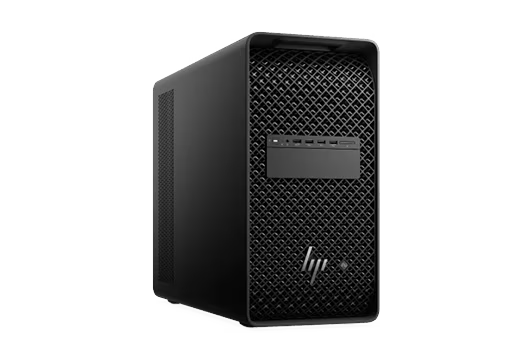
Manufacturer product image. The selected configuration may vary.
 Expandable tower
Intel Xeon 600 · RTX PRO 6000 Blackwell Max-Q option
An expandable Xeon workstation supporting up to four RTX PRO 6000 Blackwell Max-Q GPUs. Configure it for a workstation or a larger shared inference service.
Compared withNVIDIA DGX StationHP ZGX FuryLenovo ThinkStation P7
BEFORE IT ARRIVES
What this configuration needs on your premises.
Plan dedicated space and a facilities review for heavily populated systems. HP requires two separate circuits when two power supplies are fitted. A lighter configuration may suit an office after verification.
Single PSU: 1,350 W at 115 V or 1,700 W at 200 V and above. Dual supplies support redundancy or up to 2,700 W aggregate output; configuration matters. [1]
Available PSU output depends on input voltage. HP’s site guide warns that a fully loaded 1,350 W configuration can draw up to 15 A at 110 V. [2]
A system fitted with two 1,350 W PSUs must use two different circuits. HP calls for office air conditioning to accommodate the additional heat. [2]
Fan cooling with configurable performance modes. HP requires 15.24 cm (6 in) clearance on each side except the supporting surface for non-rack installations; keep the rack installation’s front, rear and upper gap clear. [2][3]
Whole-system ambient temperature and humidity limits are not verified. A power-supply temperature limit is not a system limit.
HP offers Quiet, Performance and Ultimate Performance modes. It warns that fans can still run hard with multiple high-power GPUs, even in Quiet mode. No comparable AI-load dB(A) result verified. [3]
ACTUAL CONSUMPTION
PSU capacity, chip TDP and measured consumption describe different things. Only measurements with a stated configuration and test method appear here.
No attributable wall-power test for this configuration was established in this review. Measure at the outlet with the exact model, workload, runtime and power mode recorded.
Allow for sustained room heat, including after office hours. A ventilated equipment room may be more practical for multiple systems or continuous jobs. An internal liquid cooler does not remove the need for room cooling.
Lab planning guidance. Office suitability depends on the installed configuration, shared circuits, heat removal and acceptable noise; a workstation label alone does not settle it.
Enter average power at the wall for the hours you are modeling, or an explicit planning assumption. Supply wattage and chip TDP are not consumption measurements.
Add wall power to calculate a scenario.
Scenario only. Hours outside this period are excluded: include idle time for an always-on system. Displays, networking, UPS losses and room air conditioning are extra. Heat assumes the computer and power supply release their heat into this room; it does not size a circuit or an HVAC system. Currency selects your tariff’s unit, with no conversion.
Manufacturer documentation and attributed first-hand hardware inspections, scoped to the named model or configuration. “Not verified” identifies a gap in this review, not a claim that the manufacturer has no documentation. Installation assessments are the Lab’s interpretation.
Keep sensitive processing on your infrastructure. Inspect every connection in the complete stack.
Control access, connectivity and updates. A local machine still needs a secure deployment.
Generate tokens on your own compute. Understand the full cost of the useful work it delivers.
SHARED WORK AROUND THIS PLATFORM
Reference-platform guidance and field records. Exact OEM configurations need their own validation.

THE PLATFORM BEHIND THE MACHINE
2 catalog configurations
BEYOND THE SPECIFICATION
Published guidance and checklists to help you investigate the full deployment.
An execution agent and confidential engineering test assets show how on-premises AI extends beyond office applications.
Local model inference is one part of the path. Test retrieval, documents, identity, tools and restart behavior as well.
Move beyond a single chat window: measure shared capacity under realistic application traffic.
THE CONFIGURATION
ON YOUR PREMISES
BEFORE YOU CHOOSE
Up to 2 TB DDR5 ECC system RAM is separate from GPU memory. The memory screen uses one 96 GB GPU.
Multiple GPUs do not automatically form one memory pool. Framework support, sharding and interconnect overhead must be evaluated.
Manufacturer specificationsHelp improve this record. Suggest a correction
IN THE FIELD
Operating records from customers, contributors and the Lab.
In an office, a factory, an engineering lab or beside your test equipment. Share a deployment and keep the people behind it credited.
Contribute a deploymentTHE SHARED TECHNICAL LIBRARY
Supplier recipes, community experience and UT’s deployment lessons, connected to the hardware.
Examine what still connects beyond the premises.
Distinguish initial installation, inference, application use, authentication and updates.
Confidential Wi-Fi module test automation.
Exact hardware and proprietary test assets are not disclosed. This is an application field record.
Loading updates…
MEMBER RATINGS · SELF-DECLARED, NOT MEASURED
One rating per member, tied to a Lab profile. Stars count immediately; written verdicts are published after a quick review by the Lab team. A rating is an opinion about fit for a job, not a benchmark.
THE PEOPLE BEHIND THE MACHINES
Questions, ideas and experience from putting AI machines to work. You do not need a finished deployment to contribute.
Loading the discussion…
THE MACHINE × THE MODEL × THE WORKLOAD
Connect the model, serving stack, workload and cost of operating this box.
| Model | Serving configuration | Capacity planning | Evidence | Inspect |
|---|---|---|---|---|
| MXFP4 | Vendor support statement | |||
| MXFP4 | Vendor support statement |
Source establishes model support, not a pinned OEM recipe.
Do not transfer datacenter throughput figures to this workstation.
Each measured result belongs to one box configuration, one model, one serving stack and one workload. Publish latency, per-stream speed, request rate, errors and task quality together.