Power rating
Published detail400 W Flex ATX PSU capacity. Processor settings: 120 W sustained / 140 W boost; these are not wall-power measurements. [1]
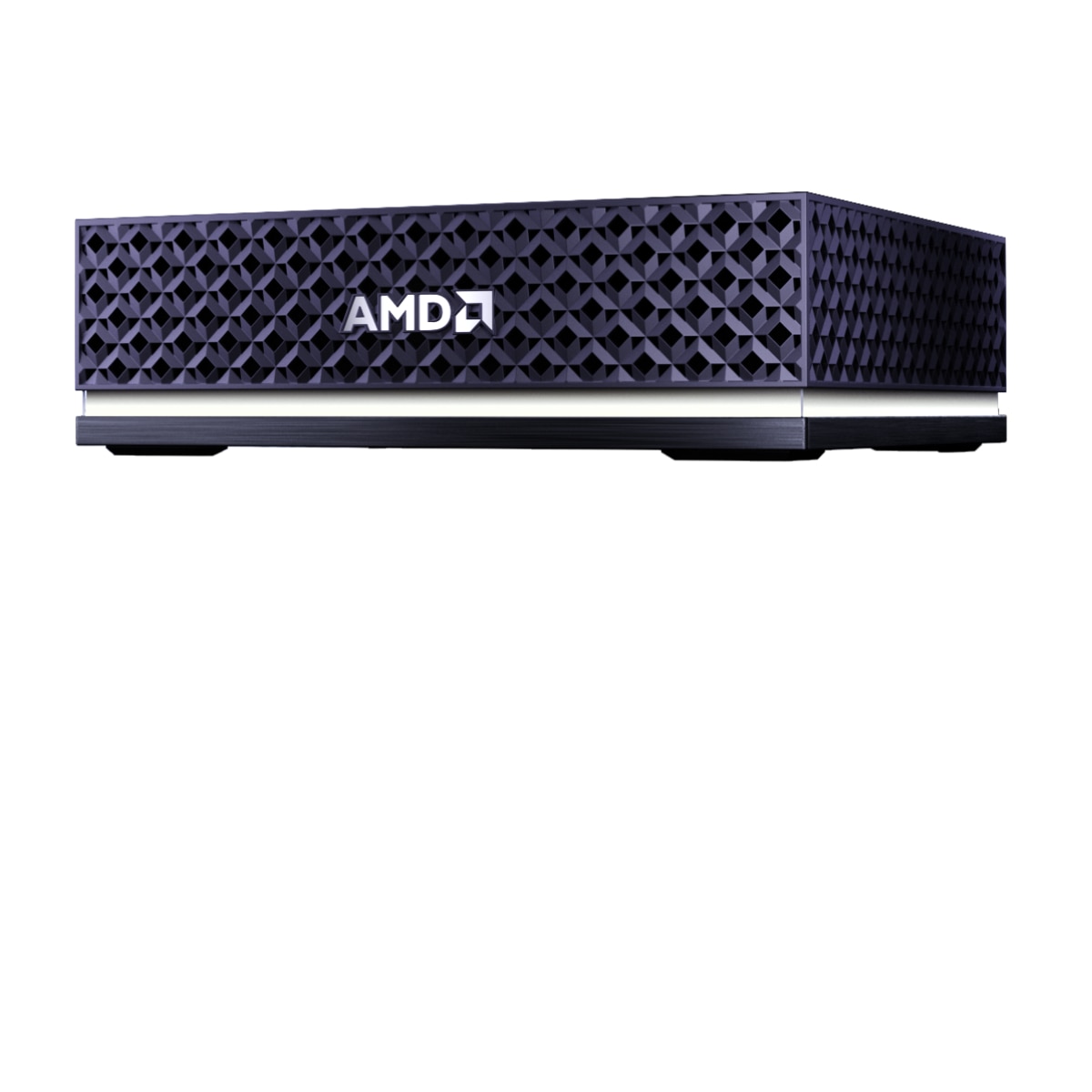
Manufacturer product image. The selected configuration may vary.
 Mini workstation
Ryzen AI Max+ 395 · Radeon 8060S
A 4.5-liter desktop with standard replaceable components and an AMD shared-memory architecture. The desktop kit requires assembly and an OS.
Compared withNVIDIA DGX SparkApple Mac Studio · M3 UltraApple Mac Studio · M5 UltraMINISFORUM MS-S1 MAX
BEFORE IT ARRIVES
What this configuration needs on your premises.
A compact office candidate once the system kit is complete. Fan choice affects sound; choose and fit a supported cooling fan before running compute jobs.
400 W Flex ATX PSU capacity. Processor settings: 120 W sustained / 140 W boost; these are not wall-power measurements. [1]
100–240 V AC, 47–63 Hz; IEC C14 power inlet. [1]
No machine-specific branch-circuit requirement verified. Check the nameplate, regional cord and other loads on the same circuit.
Air cooling with a standard 120 mm CPU fan; Cooler Master and Noctua options. PSU has its own 40 mm fan with a zero-RPM mode. [1][2]
Whole-system ambient temperature and humidity limits are not verified. A power-supply temperature limit is not a system limit.
No comparable noise measurement under an AI workload verified. Ask for dB(A), distance, workload and ambient conditions; audition it before placing it beside people.
ACTUAL CONSUMPTION
PSU capacity, chip TDP and measured consumption describe different things. Only measurements with a stated configuration and test method appear here.
No attributable wall-power test for this configuration was established in this review. Measure at the outlet with the exact model, workload, runtime and power mode recorded.
Plan for the computer and its power supply to heat the room. Check ventilation during long jobs and when several machines share a small office.
Lab planning guidance. Office suitability depends on the installed configuration, shared circuits, heat removal and acceptable noise; a workstation label alone does not settle it.
Enter average power at the wall for the hours you are modeling, or an explicit planning assumption. Supply wattage and chip TDP are not consumption measurements.
Add wall power to calculate a scenario.
Scenario only. Hours outside this period are excluded: include idle time for an always-on system. Displays, networking, UPS losses and room air conditioning are extra. Heat assumes the computer and power supply release their heat into this room; it does not size a circuit or an HVAC system. Currency selects your tariff’s unit, with no conversion.
Manufacturer documentation and attributed first-hand hardware inspections, scoped to the named model or configuration. “Not verified” identifies a gap in this review, not a claim that the manufacturer has no documentation. Installation assessments are the Lab’s interpretation.
Keep sensitive processing on your infrastructure. Inspect every connection in the complete stack.
Control access, connectivity and updates. A local machine still needs a secure deployment.
Generate tokens on your own compute. Understand the full cost of the useful work it delivers.
SHARED WORK AROUND THIS PLATFORM
Reference-platform guidance and field records. Exact OEM configurations need their own validation.
 AMD · indexed by the LabRecipe
AMD’s gpt-oss-20b example connects a GGUF model to llama.cpp with ROCm acceleration.
THE PLATFORM BEHIND THE MACHINE
4 catalog configurations
BEYOND THE SPECIFICATION
Published guidance and checklists to help you investigate the full deployment.
An execution agent and confidential engineering test assets show how on-premises AI extends beyond office applications.
A reported multi-GPU limitation turned out to depend on the test environment. Community feedback led to a correction.
Local model inference is one part of the path. Test retrieval, documents, identity, tools and restart behavior as well.
THE CONFIGURATION
ON YOUR PREMISES
BEFORE YOU CHOOSE
The 128 GB memory is soldered. GPU-available memory depends on OS and configuration.
The listed $3,449 is the 128 GB system kit selection, not a ready-to-run total. SSD, OS, fan, cable and tiles are additional selections.
Manufacturer specificationsHelp improve this record. Suggest a correction
IN THE FIELD
Operating records from customers, contributors and the Lab.
In an office, a factory, an engineering lab or beside your test equipment. Share a deployment and keep the people behind it credited.
Contribute a deploymentTHE SHARED TECHNICAL LIBRARY
Supplier recipes, community experience and UT’s deployment lessons, connected to the hardware.
AMD’s Ubuntu 24.04 reference uses llama.cpp b8407, ROCm 7.2.1 and a gpt-oss-20b MXFP4 model.
Historical versioned guide: check the current compatibility matrix before installation. This is not a UT reproduction.
Guides organized by AMD device, OS and memory.
Some entries are marked coming soon. Confirm the exact supported processor before selecting a guide.
Original source for AMD’s published playbooks.
Check availability, revision and prerequisites for each individual playbook.
Loading updates…
MEMBER RATINGS · SELF-DECLARED, NOT MEASURED
One rating per member, tied to a Lab profile. Stars count immediately; written verdicts are published after a quick review by the Lab team. A rating is an opinion about fit for a job, not a benchmark.
THE PEOPLE BEHIND THE MACHINES
Questions, ideas and experience from putting AI machines to work. You do not need a finished deployment to contribute.
Loading the discussion…
THE MACHINE × THE MODEL × THE WORKLOAD
Connect the model, serving stack, workload and cost of operating this box.
| Model | Serving configuration | Capacity planning | Evidence | Inspect |
|---|---|---|---|---|
| MXFP4 · GGUF | Vendor guide | |||
| GGUF · exact quantization not specified | Vendor-reported setup |
AMD guide version is recorded; confirm the current compatibility matrix before installing.
GPU memory allocation and OEM firmware differ.
Each measured result belongs to one box configuration, one model, one serving stack and one workload. Publish latency, per-stream speed, request rate, errors and task quality together.